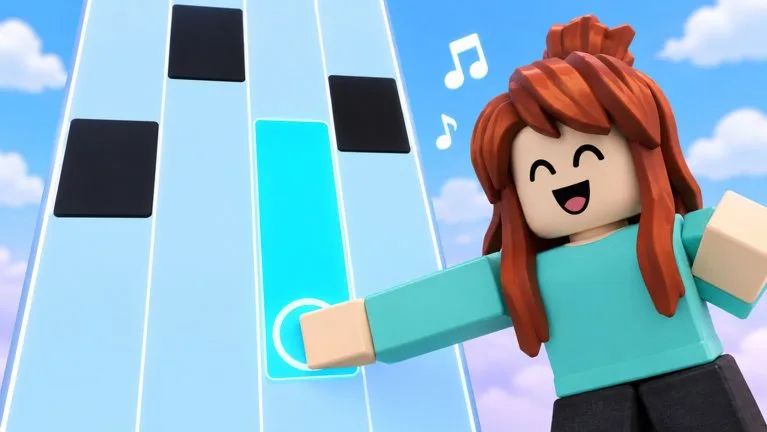
A short path for the first session: open the official game, choose a readable song speed, and use one control method.
A short path for the first session: open the official game, choose a readable song speed, and use one control method.
By Piano Rhythm Tiles Wiki · Last updated:
First session
What you need — Piano Rhythm Tiles is free on its Roblox listing. You do not need a code, a skin, or a full 25-player server to start a song. The public description does not name tracks or keys, so the first session uses whatever list and mapping the client shows.
First session
Open the game — Use the official Roblox page for Piano Rhythm Tiles by Music Tiles.
Choose a song you can follow — Pick a song from the in-game list. A catalog of track names is not published here.
Lower the speed until the chart is readable — The game lets you choose speed. Stay at a setting where you can see the next tiles.
Stay with one control method — Touch, keyboard, and controller all work. Use the on-screen mapping and keep that method for the whole song.
Read the result the client gives you — After the attempt, read stars and your personal best. The score formula is not published.
After the first clear — After one clear, compare song play, Endless, 1v1, the Daily Song, and Fade. Endless builds speed for you. Fade hides tiles. Those are official differences, not a ranked tier list.
Piano Rhythm Tiles is a free Roblox rhythm game by the Music Tiles group. You play songs, choose a speed, and follow tiles. The public description also lists Endless mode, 1v1, a Daily Song, Fade mode, tile skins, backgrounds, stars, personal bests, and leaderboards.
Who makes Piano Rhythm Tiles?
The Roblox games record credits the group Music Tiles. The public group page is the creator community linked from the experience. This wiki is not run by Music Tiles or Roblox.
Is Piano Rhythm Tiles free?
Yes. The public games record shows no Robux price. Optional unlocks such as tile skins and backgrounds are mentioned, but no price list was published with that record.
What modes does Piano Rhythm Tiles have?
The official description names five activities: play songs at a speed you choose, Endless mode that builds up speed, a 1v1 challenge against another player, a new Daily Song, and Fade mode where tiles disappear.
Which controls work?
The official description says you can play with touch, keyboard, or controller. It does not publish the key or button names. Use the mapping shown inside the game.
Are there Piano Rhythm Tiles codes?
No code string was found in the official description or in collected code records. The redeem button location is also unpublished, so this site does not list a working code or a confirmed menu path.
Is there a published song list?
No. The official description says you can play songs and pick a speed, and that there is a Daily Song. It does not name the tracks, note counts, or difficulty numbers. Use the list shown in the client.
Do tile skins change my score?
The official description lists tile skins and backgrounds as unlocks, separate from stars and leaderboards. It does not give skins a score, speed, or match bonus. Community guides describe them as cosmetic. Check the customization screen in game before assuming a cost or an effect.