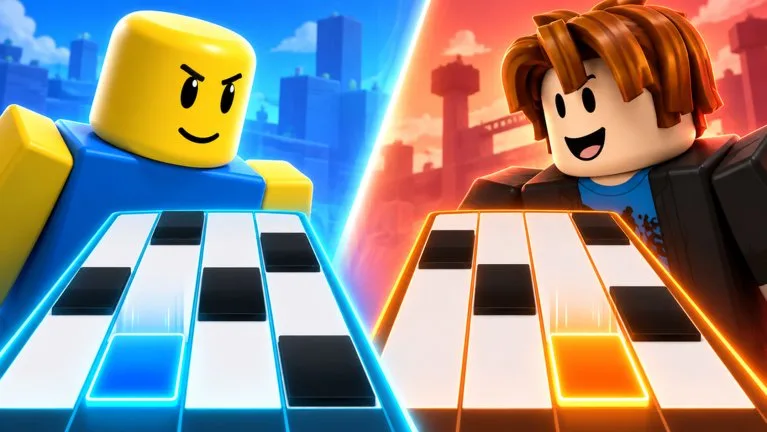
Modes

Last Longer as Endless Speeds Up

Endless mode builds up speed on its own. Learn a chart at a speed you choose before you ask the run to get faster.

Last Longer as Endless Speeds Up

Endless mode builds up speed on its own. Learn a chart at a speed you choose before you ask the run to get faster.

What Endless is confirmed to do

The official description says Endless mode builds up speed. That is the whole published rule. It does not say the starting speed, how often the speed increases, whether the chart is one song on repeat, or what ends the run.

Treat the early part of the run as the readable tempo and expect later tiles to arrive faster. If you are already missing while the run still feels slow, a later speed increase will give you less time, not more.

Prepare in song mode first

  1. Clear one song at a speed you chose. Steps are in Clear Your First Song.
  2. Raise that chosen speed only after the same song is readable. Song mode is the place where you control the dial. Endless takes the dial away as the run goes on.
  3. Enter Endless only after a controlled-speed clear. Use the same control method you just practiced. Switching devices at the same time as a speed climb makes it hard to tell which change caused a miss.
  4. When the speed climbs, keep the same hand position. Do not start tapping harder. The description does not say that harder inputs score more.
  5. Stop when the client ends the run, then note how far the speed had climbed compared with your last attempt. The game stores personal bests. This site does not have a formula that converts that best into stars.

What not to copy from other tile games

Some piano-tile games end on a single miss, use a fixed tiles-per-second chart, or sell a slow-motion ability. None of those rules appear in the Piano Rhythm Tiles description. Do not enter Endless expecting a shield, a magnet, or a published tiles-per-second value.

If the run feels short

Check three things you can actually see: whether you started in Endless rather than a short song, whether your speed had already climbed, and whether you changed control method mid-run. There is no published server setting that lengthens Endless. Rejoining is not a documented way to freeze the speed.

More mode context is on Choose a Mode and the Endless page.

FAQ

Frequently Asked Questions

What is Piano Rhythm Tiles?

Piano Rhythm Tiles is a free Roblox rhythm game by the Music Tiles group. You play songs, choose a speed, and follow tiles. The public description also lists Endless mode, 1v1, a Daily Song, Fade mode, tile skins, backgrounds, stars, personal bests, and leaderboards.

Who makes Piano Rhythm Tiles?

The Roblox games record credits the group Music Tiles. The public group page is the creator community linked from the experience. This wiki is not run by Music Tiles or Roblox.

Is Piano Rhythm Tiles free?

Yes. The public games record shows no Robux price. Optional unlocks such as tile skins and backgrounds are mentioned, but no price list was published with that record.

What modes does Piano Rhythm Tiles have?

The official description names five activities: play songs at a speed you choose, Endless mode that builds up speed, a 1v1 challenge against another player, a new Daily Song, and Fade mode where tiles disappear.

Which controls work?

The official description says you can play with touch, keyboard, or controller. It does not publish the key or button names. Use the mapping shown inside the game.

Are there Piano Rhythm Tiles codes?

No code string was found in the official description or in collected code records. The redeem button location is also unpublished, so this site does not list a working code or a confirmed menu path.

Is there a published song list?

No. The official description says you can play songs and pick a speed, and that there is a Daily Song. It does not name the tracks, note counts, or difficulty numbers. Use the list shown in the client.

Do tile skins change my score?

The official description lists tile skins and backgrounds as unlocks, separate from stars and leaderboards. It does not give skins a score, speed, or match bonus. Community guides describe them as cosmetic. Check the customization screen in game before assuming a cost or an effect.